Nofollow Links
Note: As of March 23, 2021 I’ve closed the Nofollow Links plugin. It had some use, but since the links panel wasn’t enabled by default in WordPress anymore, I decided to put it to rest.
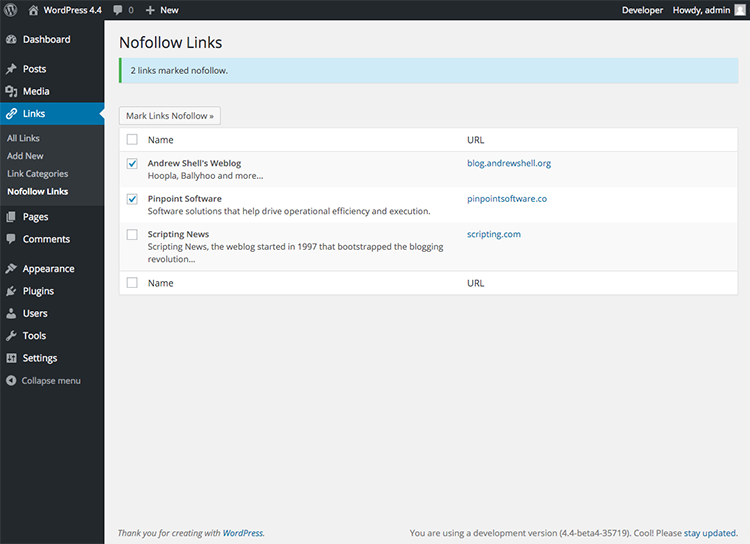
This is a plugin designed to allow you to append nofollow to the rel attribute of selected links in your blogroll.
It does not conflict with the link relationships (XFN) specified when you edit a link. It will just be appended to the end of the rel attribute when it’s displayed.
Download Nofollow Links WordPress Plugin
Got a bug to report? Or an enhancement to recommend? Or perhaps even some code to submit for inclusion in the next release? Great! Share your feedback through my contact form.
Installation
- Upload
nofollow-linksfolder to the/wp-content/plugins/directory - Activate the plugin through the
Pluginsmenu in WordPress - Navigate to
Links>Nofollow Linksand select links you want nofollowed - Click
Mark Links Nofollowbutton to save your selection
Screenshots
Translations Provided by:
- Lithuanian translation was provided by Vincent Grinius
- Serbo-Croatian translation was provided by Andrijana Nikolic